The Overlooked Input Device: How Neglected Keyboard Refresh Cycles Are Quietly Undermining Workforce Productivity
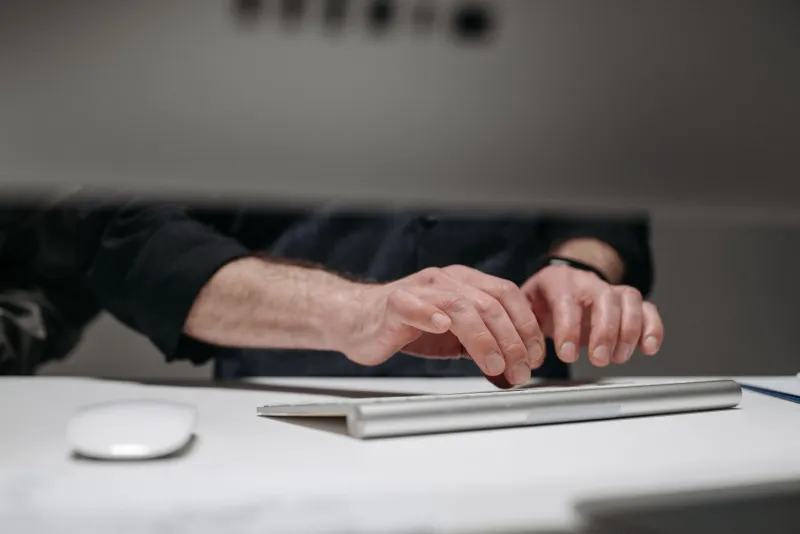
Walk through virtually any mid-sized American office and you will find the same scene: a shiny new workstation monitor, a recently refreshed laptop docking station, and sitting directly in front of the employee — a keyboard that has been in continuous daily service since the previous administration. Sticky keys, worn keycap legends, and sluggish actuation are so common they have become ambient background noise in the modern workplace. IT procurement teams have, by and large, stopped noticing them at all.
That blind spot carries a measurable price. When organizations fail to establish disciplined keyboard replacement schedules, they absorb costs that never appear as a single line item on a budget report but accumulate steadily across payroll, healthcare, and productivity metrics. Understanding how that accumulation works — and what it costs — is the first step toward treating keyboard procurement as the legitimate business investment it actually is.
How Keyboards Degrade and Why It Matters
Membrane keyboards, which represent the overwhelming majority of units deployed in corporate environments, are rated by manufacturers for approximately 5 to 10 million keystrokes per key. That figure sounds generous until you account for the reality of a knowledge worker's day. A moderately productive employee typing correspondence, entering data, and navigating software interfaces will register somewhere between 40,000 and 80,000 keystrokes per eight-hour shift. At that pace, a keyboard can approach functional wear thresholds in under three years — yet the average enterprise replacement cycle, where one exists at all, often stretches to five years or longer.
Degradation is not binary. A keyboard does not function perfectly one day and fail completely the next. Instead, actuation force increases subtly, key registration becomes inconsistent, and tactile feedback diminishes. Employees adapt unconsciously, pressing harder and repositioning their hands to compensate for dead zones or sticky switches. Those compensatory behaviors place sustained stress on the tendons and muscles of the wrist, forearm, and shoulder — precisely the anatomical pathway that leads to repetitive strain injuries (RSIs) including carpal tunnel syndrome and tendinitis.
The Occupational Safety and Health Administration estimates that musculoskeletal disorders account for roughly 30 percent of all worker injury and illness cases requiring days away from work. While no single input device is solely responsible, the ergonomics community has consistently identified keyboard quality and condition as a contributing variable. For a company with 500 knowledge workers, even a marginal increase in RSI incidence translates into workers' compensation claims, short-term disability costs, and the subtler expense of reduced output during recovery.
The Vendor Lock-In Dynamic That Perpetuates the Problem
Part of the reason keyboard refresh programs remain underfunded is structural. Major hardware vendors have little commercial incentive to push enterprise clients toward accelerated replacement cycles on peripherals that carry thin margins. The sales motion for large accounts centers on servers, networking infrastructure, endpoint devices, and software licensing — categories where deal sizes are substantial and vendor relationships are tightly managed.
Keyboards, by contrast, are frequently bundled as complimentary accessories when workstations or monitors are purchased, reinforcing the perception that they are disposable commodities rather than productivity tools deserving independent evaluation. Once a vendor bundle becomes the default, procurement teams rarely revisit the decision. The bundled keyboard becomes the de facto standard, and "good enough" becomes the operating philosophy — even when good enough ceased to be accurate two refresh cycles ago.
This dynamic is compounded by the fact that keyboard performance degradation is subjective and gradual. Unlike a failed hard drive or a malfunctioning network switch, a worn keyboard rarely generates a help desk ticket. Employees tolerate the decline rather than report it, and IT operations teams, already stretched thin managing higher-priority infrastructure concerns, have no automated mechanism to flag peripheral deterioration.
Calculating the True ROI on a Keyboard Refresh Program
Building a defensible business case for keyboard investment requires moving beyond unit cost comparisons and engaging with a broader set of variables. The following framework provides procurement and IT leadership with a structured approach.
Step 1: Establish a baseline workforce profile. Identify the number of knowledge workers in keyboard-intensive roles — accounting, customer service, legal, software development, data entry, and administrative functions. These employees represent the highest ROI potential for a refresh program because their output is most directly tied to input device performance.
Step 2: Audit current keyboard age and condition. Most organizations lack accurate asset records for peripherals. A physical audit, even a sampled one, will typically reveal that a significant portion of deployed keyboards exceed three years of service. Document the distribution of keyboard age across the affected workforce.
Step 3: Quantify error and rework exposure. Typing errors driven by inconsistent key registration are not trivial in high-stakes environments. In financial services, legal, or healthcare administration contexts, a single transposition error can trigger rework cycles that consume hours of labor. Estimating even a conservative reduction in error rates following a keyboard upgrade — say, a 5 percent improvement — and multiplying that against average hourly labor costs produces a meaningful figure.
Step 4: Apply ergonomic risk modeling. Work with your organization's occupational health function or insurance carrier to estimate the per-incident cost of an RSI claim. Cross-reference that figure against industry-average incidence rates and apply a reduction factor based on published research on ergonomic peripheral interventions. Even modest assumptions yield numbers that dwarf the cost of a mid-grade ergonomic keyboard.
Step 5: Factor in employee satisfaction and retention. This variable is harder to quantify but increasingly relevant in a competitive labor market. Equipment quality consistently appears in employee satisfaction surveys as a proxy for organizational investment in the workforce. A keyboard refresh program, communicated effectively, signals that leadership takes the daily working environment seriously.
What a Responsible Refresh Program Looks Like
A well-structured keyboard replacement program does not require a wholesale fleet replacement in a single budget cycle. A phased approach — prioritizing highest-use roles and oldest deployed units first — distributes cost across multiple fiscal years while delivering immediate ergonomic and productivity benefits to the most affected employees.
Procurement teams should also evaluate the total cost of ownership rather than unit price alone. A quality mechanical or ergonomic keyboard priced at $80 to $150 per unit that delivers five or more years of reliable service in demanding conditions will typically outperform a $15 membrane unit replaced every two years — both economically and ergonomically. Volume purchasing agreements with reputable peripheral manufacturers can bring per-unit costs down considerably for organizations willing to commit to standardized models.
Finally, any refresh program should be paired with a basic ergonomic assessment process. Deploying a superior keyboard without addressing desk height, monitor position, and wrist support will capture only a fraction of the available benefit. The keyboard is one component of a broader input environment, and its value is maximized when the surrounding setup supports neutral wrist posture and natural hand positioning.
The Procurement Perspective
IT procurement professionals operate under relentless pressure to justify every dollar. The challenge with keyboard investment is that its returns are distributed, indirect, and slow to materialize — characteristics that make ROI arguments difficult to construct and easy for finance teams to dismiss. That difficulty, however, is not a reason to avoid the analysis. It is a reason to conduct it more rigorously.
The organizations that will gain a measurable productivity advantage in the coming years are those that treat every element of the knowledge worker's environment as worthy of systematic evaluation — including, and perhaps especially, the hardware that employee touches more than anything else on their desk.